¶ Modern Workplace Secure Internet Access
Exium Workplace Secure Internet Access provides secure access to public websites and SaaS applications from any location and device. Employees, even in the office, can safely use SaaS apps, web links, and email attachments without compromising their devices. Unlike traditional, multi-product solutions, Exium combines web security, firewall, intrusion detection/prevention, and DNS security into a single, cost-effective service. This service requires deploying Exium's Cyber Gateway at each office location.

¶ Global vs. Local Policies for Users and Devices Connecting via the Cyber Gateway
To enable secure internet access at each workplace location, deploy a Cyber Gateway (CGW). You can easily manage multiple CGWs from a central console, following the instructions for Multiple interface CGW deployment.
Workplace-level policies (e.g., web, geo-location, and threat prevention policies as detailed in the links below) apply to all sites with deployed CGWs.
- Web and SaaS Security
- Threat Prevention with Premium Threat Intelligence and AI
- Geographically-Aware Outbound Traffic Controls
However, Exium also allows for site-specific policies. These local policies override workplace-level policies when conflicts arise. These Local policies described in the next sections will be enforced to the users and devices connecting via the Cyber gateway.
¶ Local Web Filter
If local polices→ web Filter policy rules are created on CGW, those web filter policies will be applicable, overriding workspace level web Filter rules.
¶ Add Web filter rules
- Navigate to the MSP admin console -> Client Workspace
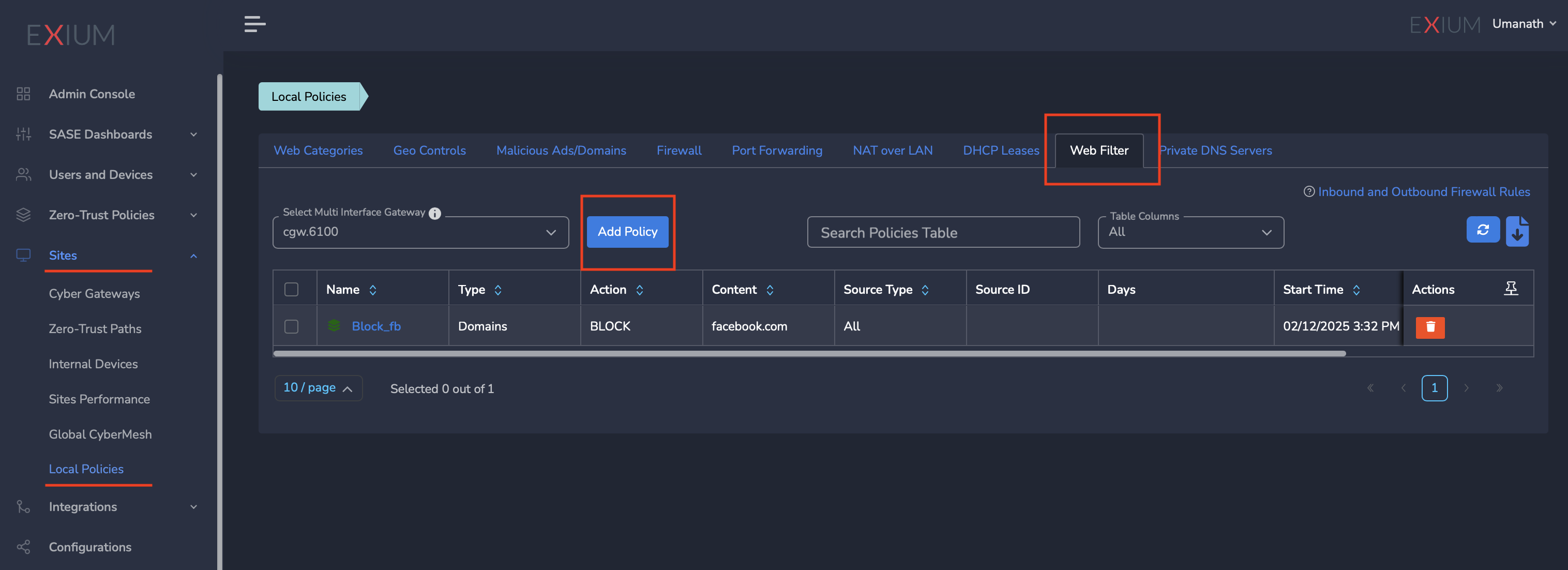
- Click on Sites in the left menu bar → Local Policies → Web Filters as shown in the screen shot below
- Select Multi Interface CyberGateway from Drop Down
- Click on Add Policy to create new policy
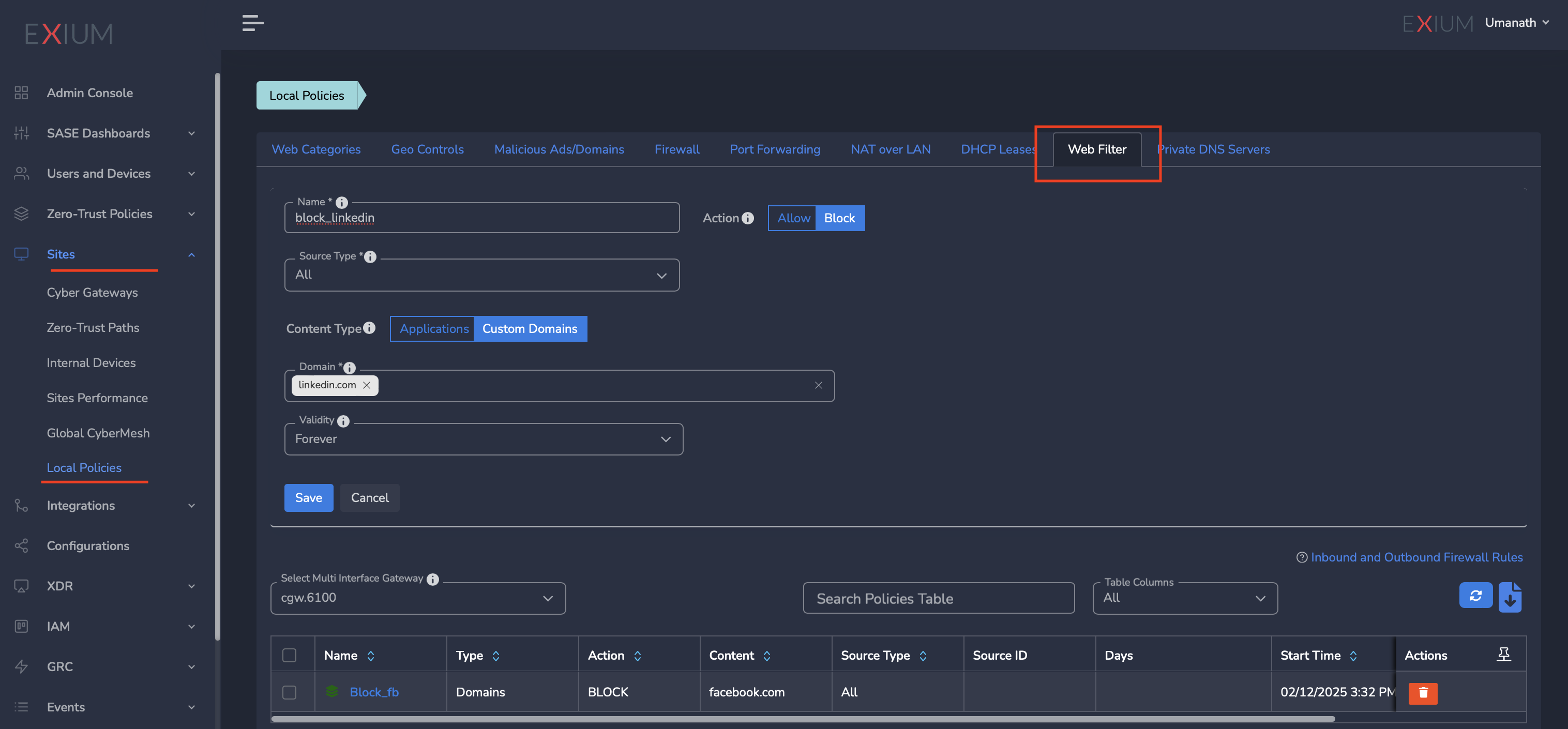
- Add name of the policy
- Select source Type ( for specific LAN subnet or all LAN subnets)
- Select Application or Customer domain
- Select Domain to allow to block
- Click on Save