¶ App Level split tunnelling
Split tunneling on Android is a feature that lets you choose which apps use a Exium SASE tunnel and which apps don't. This feature helps you to secure your online traffic while still allowing some apps to access the internet directly.
¶ Configuring App Level Split Tunnelling on Android
To exclude some of the application from tunnel on Android mobile devices and Tablets, please follow the step-by-step instructions below.
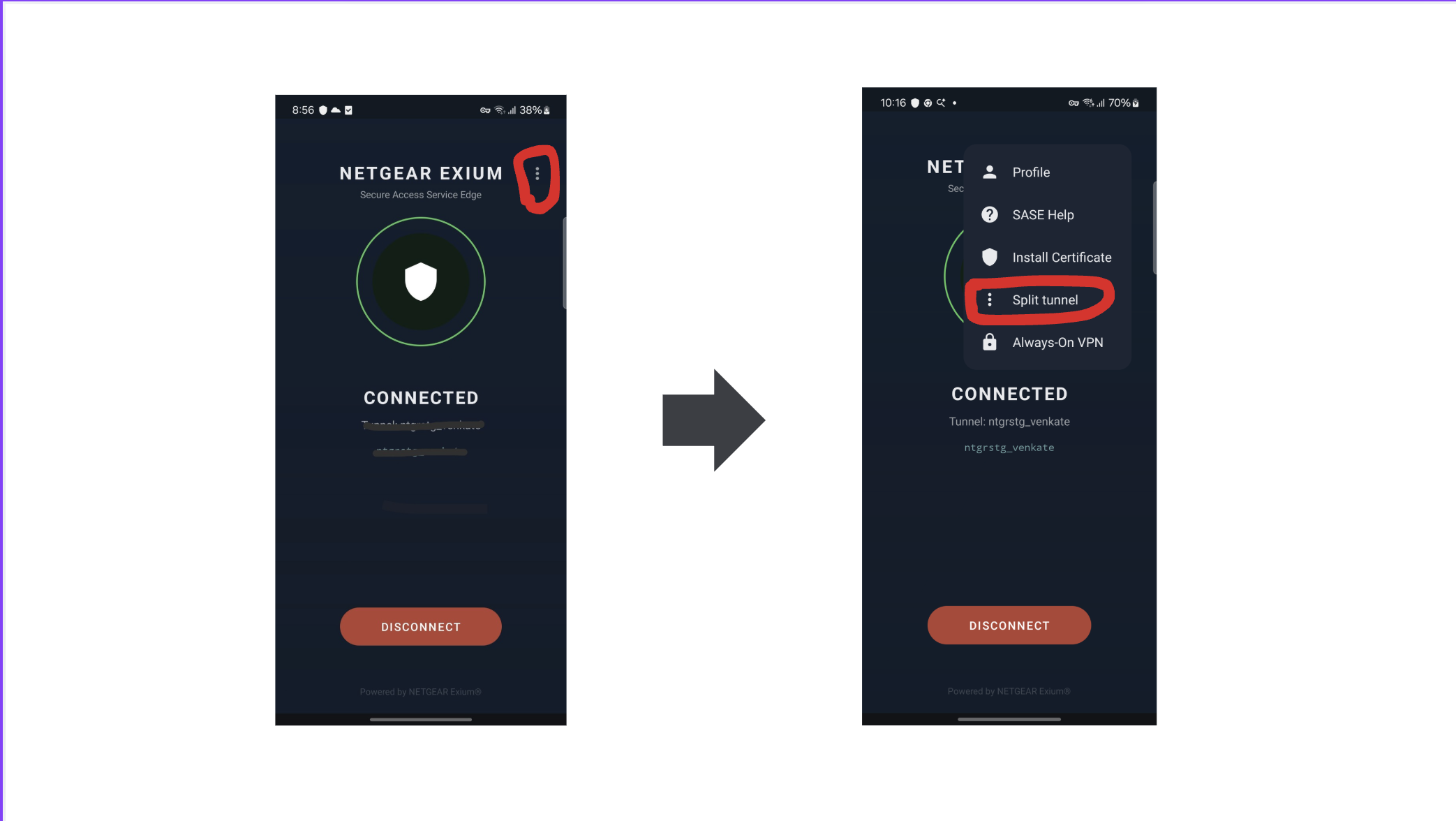
¶ Step 1: Open Split Tunnel Menu
- Tap the Three -Dot (Kebab) icon in the top-right corner. This opens the app menu (Profile, SASE Help, Install Certificate, Split tunnel, Always-On VPN).
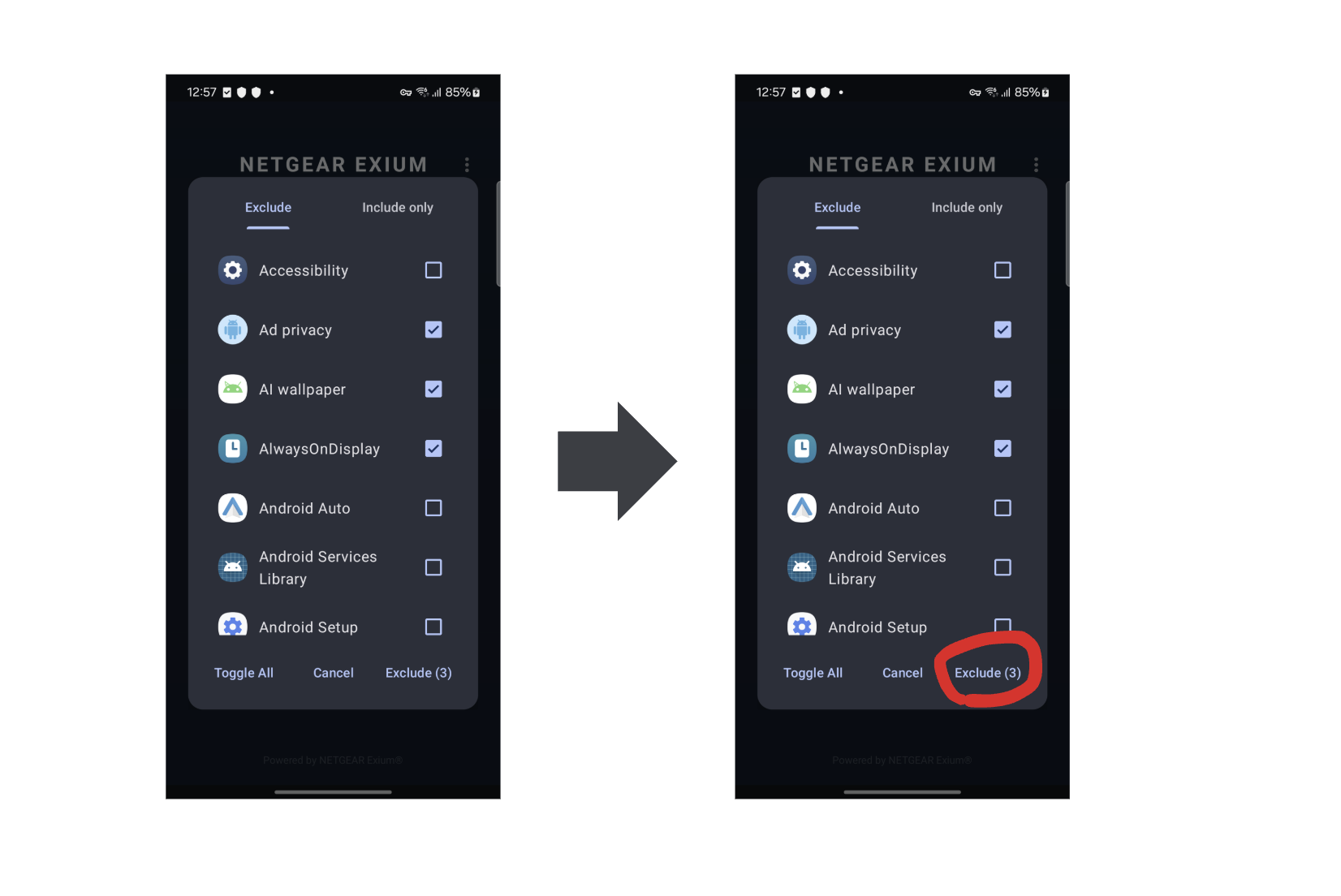
¶ Step 2: Select apps to Exclude
Select the application whose traffic you want to exclude from the tunnel, then click the “Exclude” button to save the configuration.
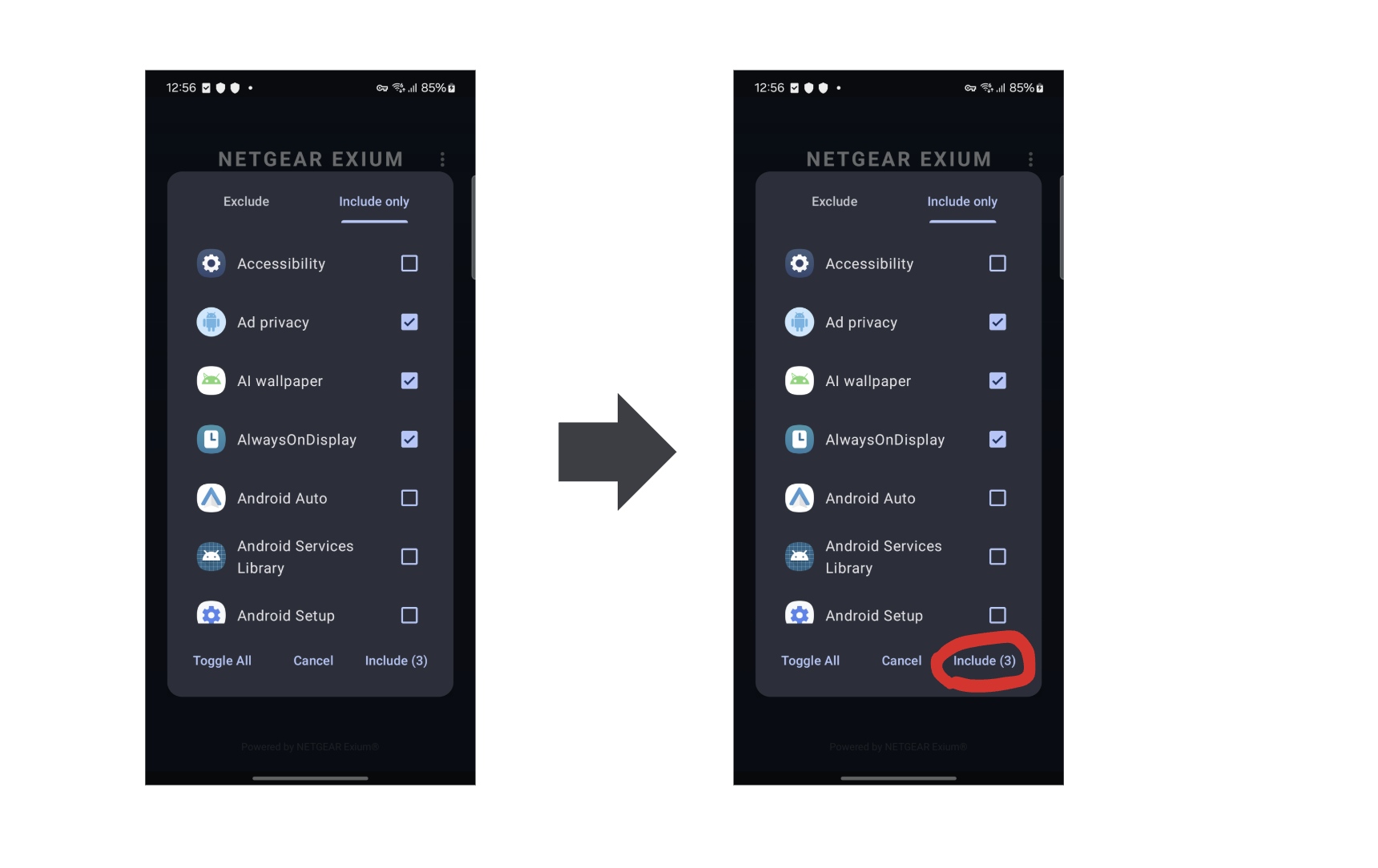
¶ Step 3: Select apps to Include
Select the application whose traffic you want to include in the tunnel, then click the “Include” button to save the configuration.
¶ Step 4: Save configuration
Once you click the Selective button, the changes are applied to the selected applications.