¶ App Level split tunnelling
Split tunneling on Android is a feature that lets you choose which apps use a Exium SASE tunnel and which apps don't. This feature helps you to secure your online traffic while still allowing some apps to access the internet directly.
¶ Configuring App Level split tunnelling on Android
To exclude some of the application from tunnel on Android mobile devices and Tablets, please follow the step-by-step instructions below.
¶ Step 1: Select tunnel and go to tunnel settings
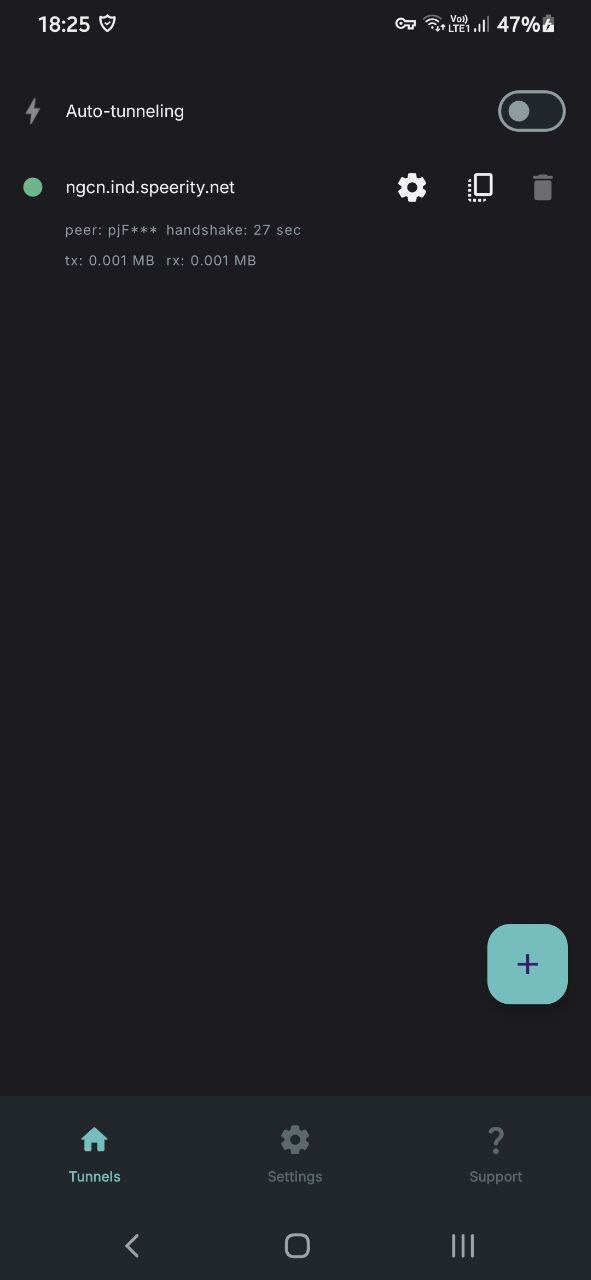
Tap on the tunnel from tunnels (Menu bar below) on Exium SASE app. You will see settings icon, click on that.
¶ Step 2: select ‘split tunnelling’
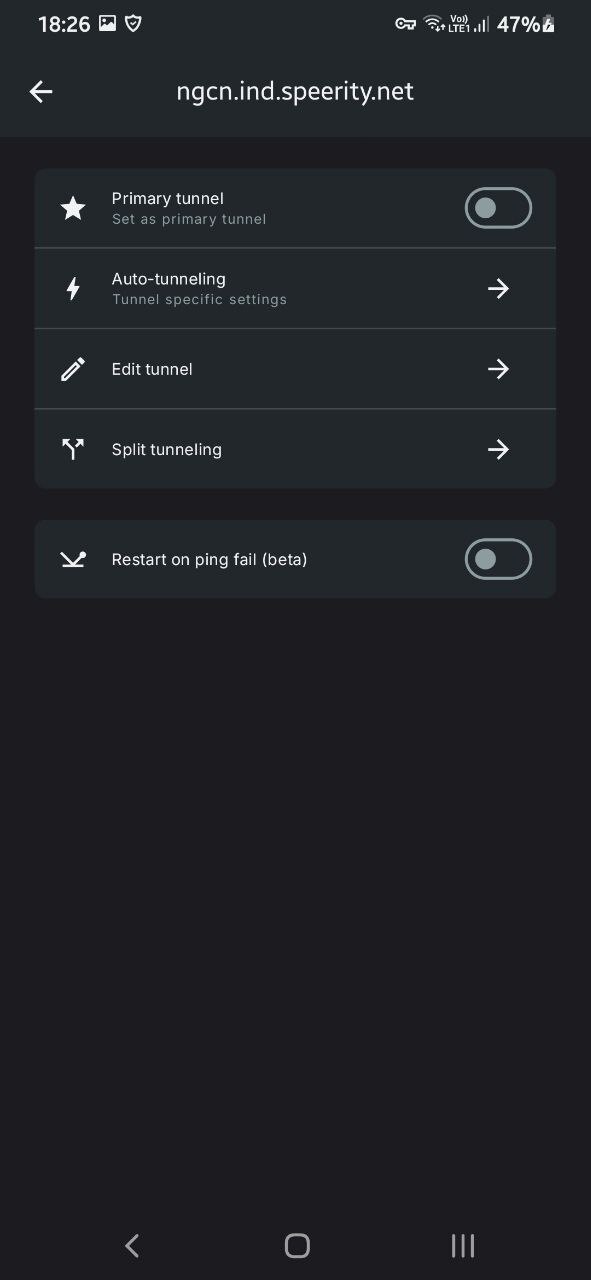
On clicking on settings , You will see Menu option for ‘split tunneling’. Tap on that menu option.
¶ Step 3: Select app to exclude
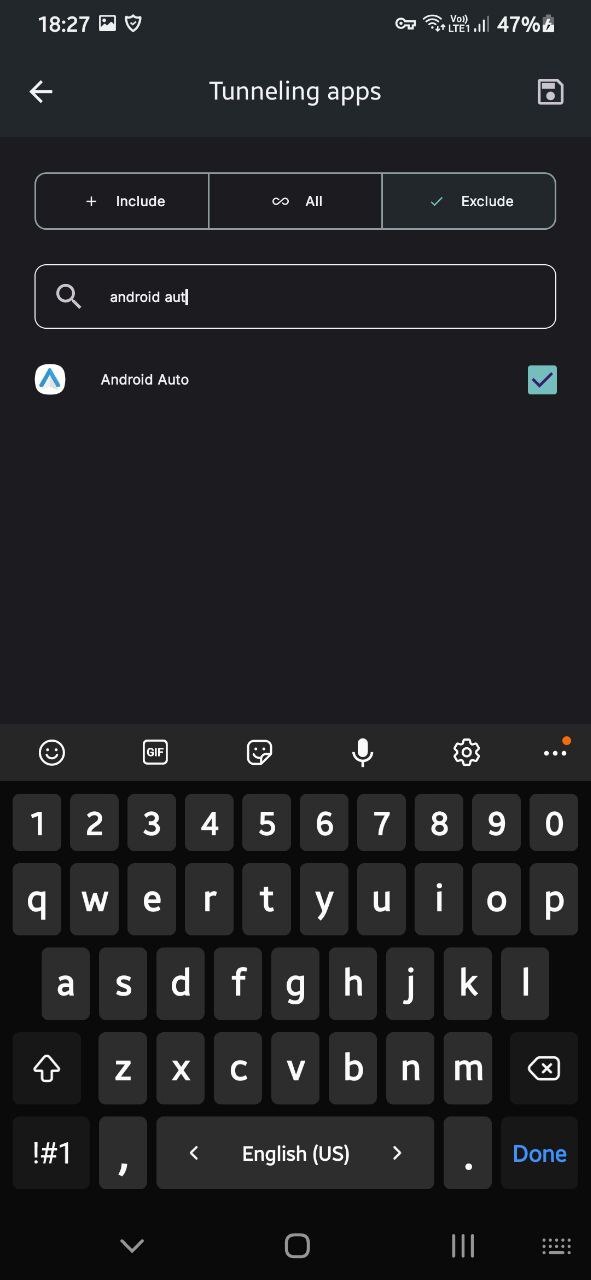
On “Tunnel apps” menu, select exclude. in the search bar, search for the app that needs to be excluded from tunnel. select the app and save it
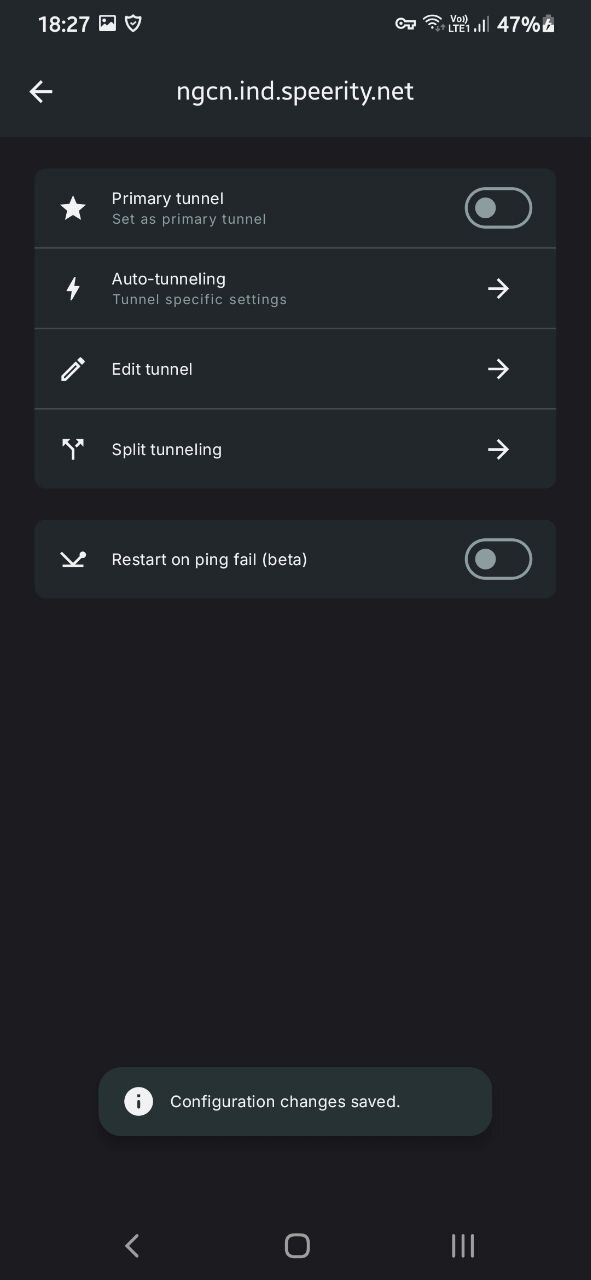
¶ Step 4: Save configuration
You should see following screenshot after saving the configuration